SnapVigator
Your photo. Your map. Your live location.
Photograph any map, georeference it in seconds, and navigate with your live GPS location overlaid on your own image. Trail boards, cycling routes, historical maps, aerial photos, internet tours – if you can photograph it, with SnapVigator you can navigate it!
Join the waiting list. No spam, ever, just a heads-up at launch!
Coming soon to iOS.
Three steps to a superpower.
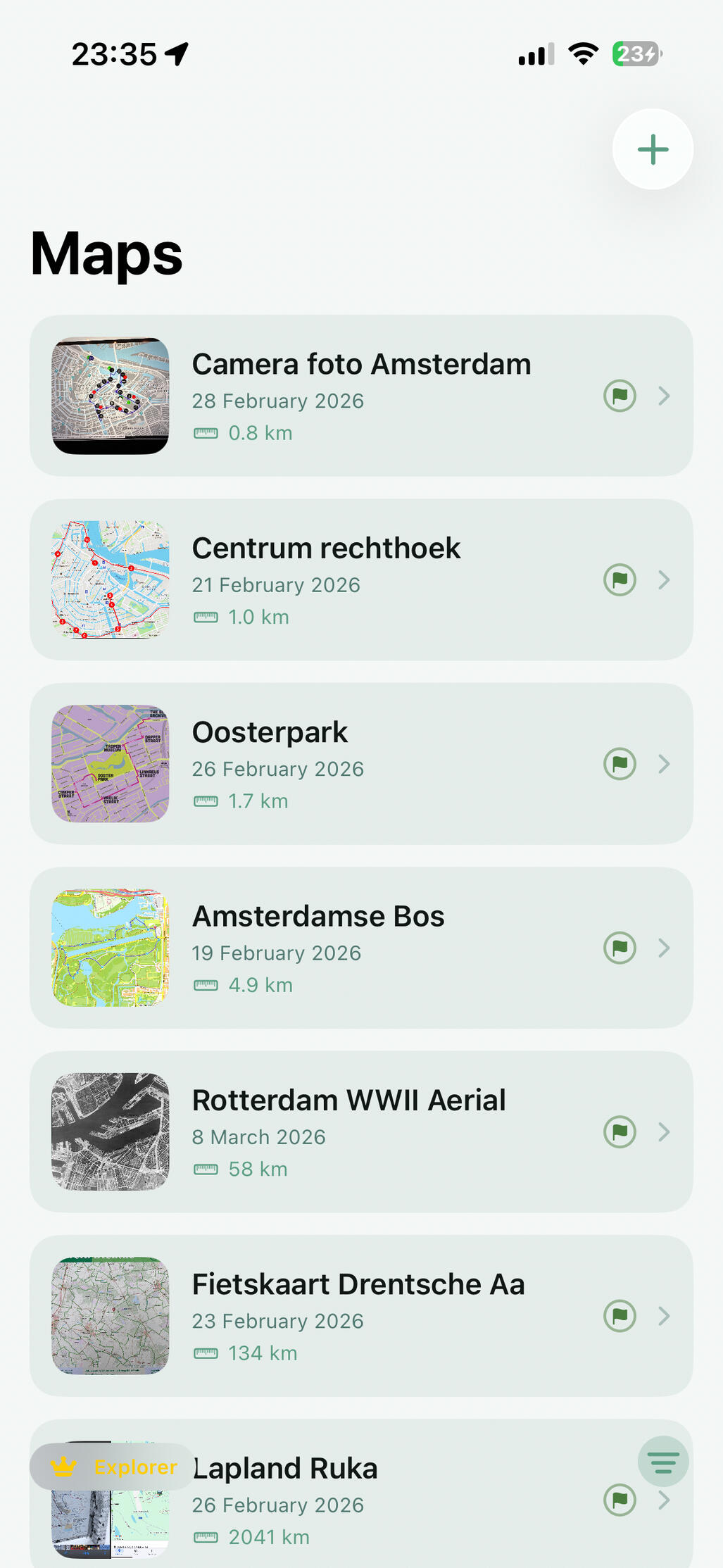
Step 1: Snap!
Photograph any map. A trailhead board, a page from a guidebook, an aerial photo, a tour you found online, that line the hotel clerk drew on their free tear off tourist map.
If you can see it, you can use it.
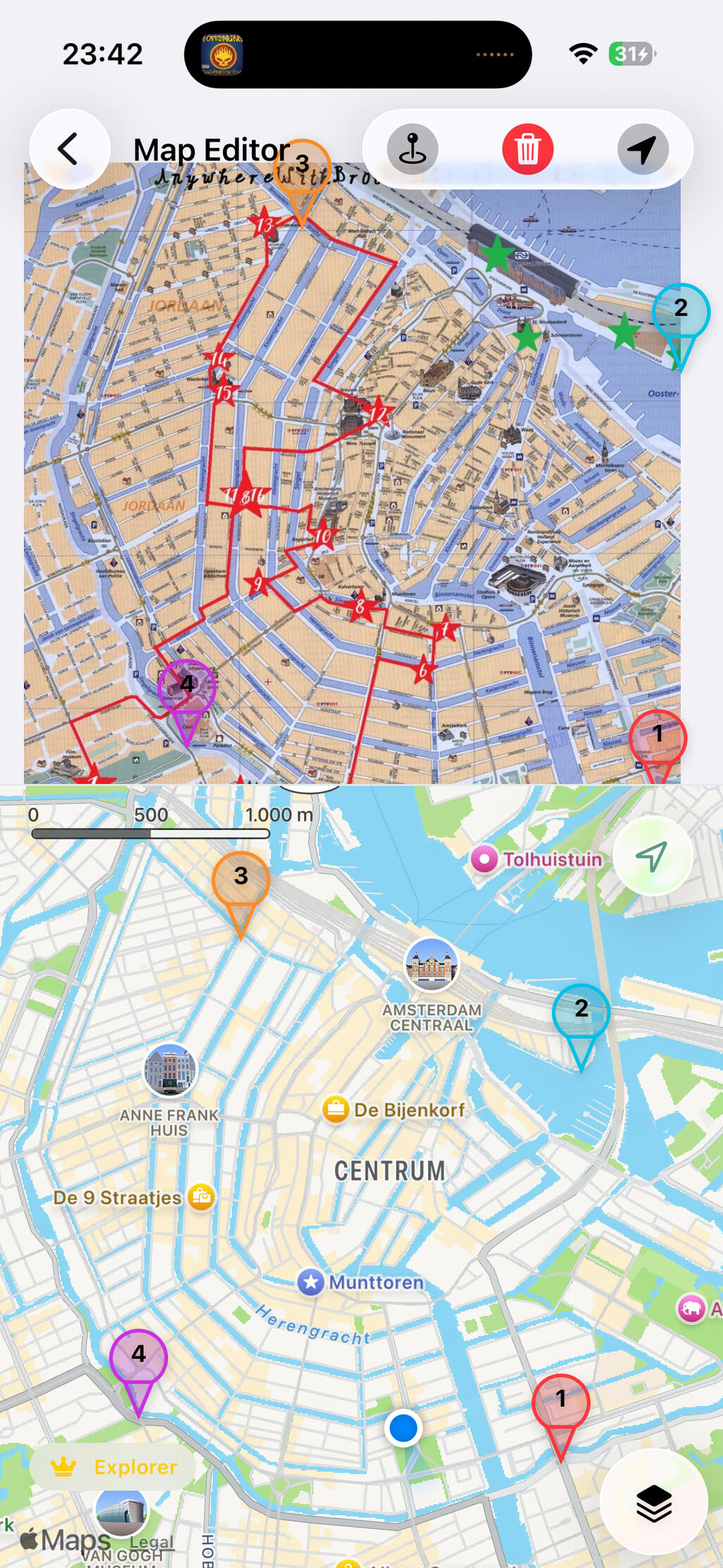
Step 2: Pin!
Tap a few matching points between your photo and a GPS map. SnapVigator takes care of the rest and locks your image to real-world coordinates.
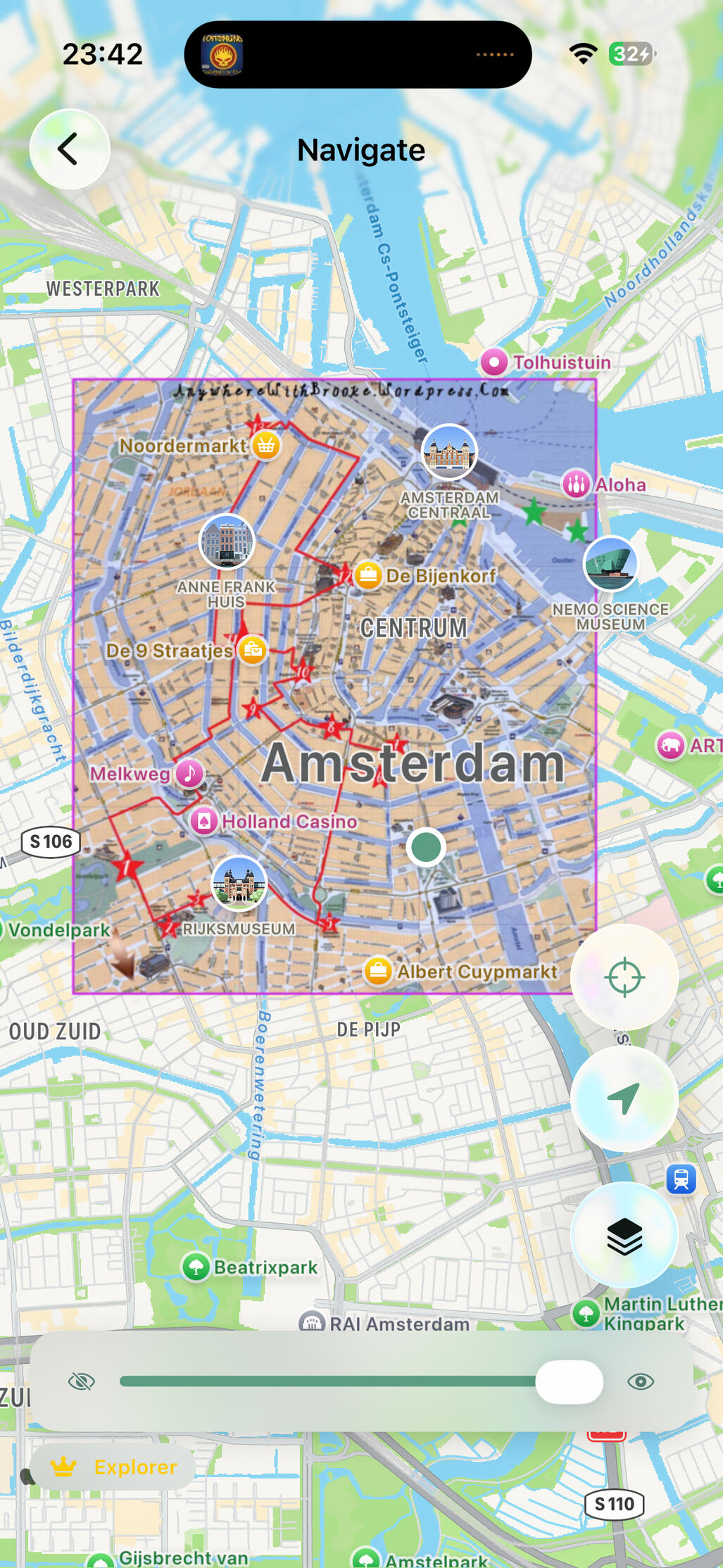
Step 3: Explore!
Watch your live location appear directly on your photo. It's that easy. Pan, zoom, and explore with a map that was never designed to be digital — until now.
Who can use SnapVigator?
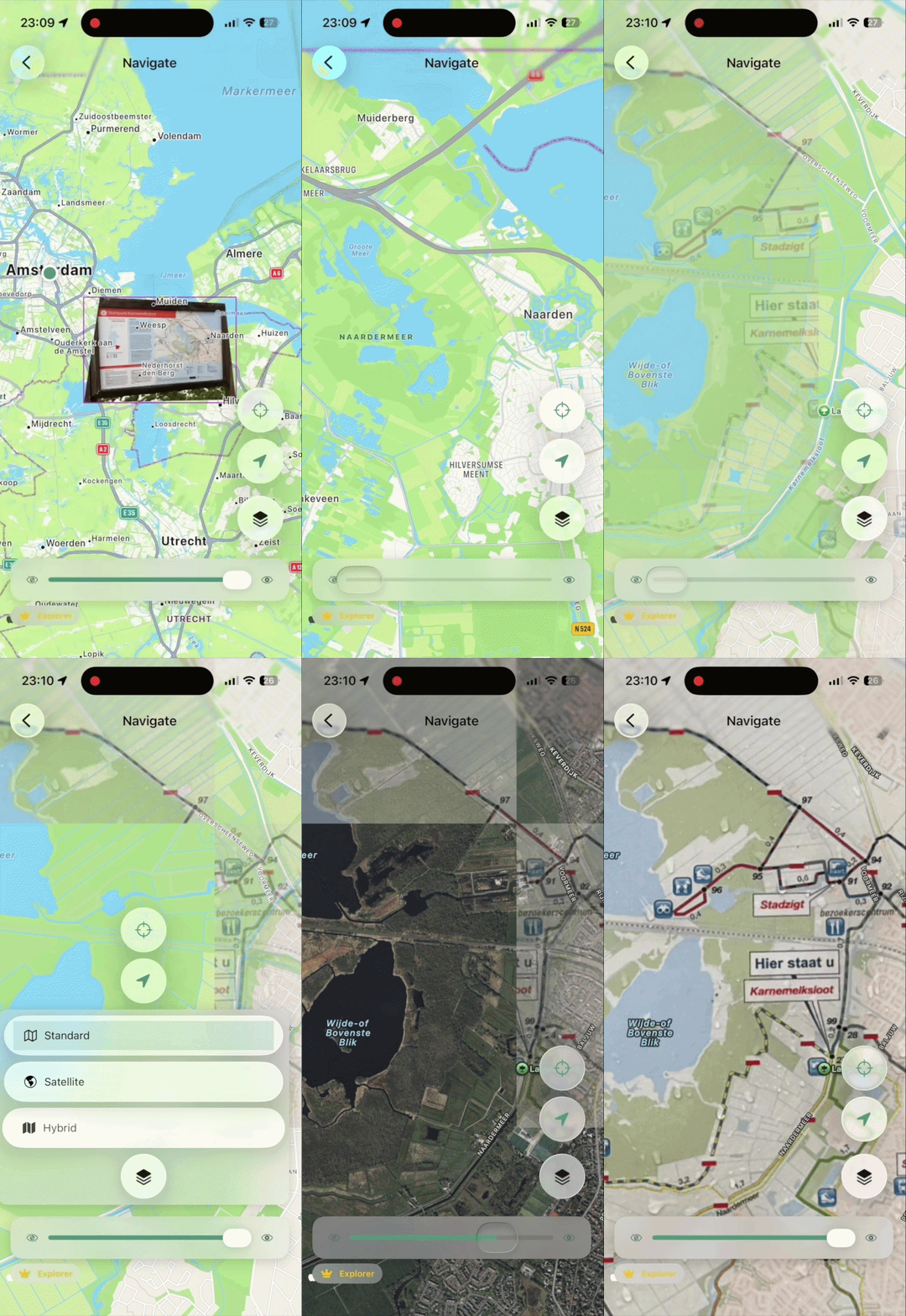
Hikers and trail runners.
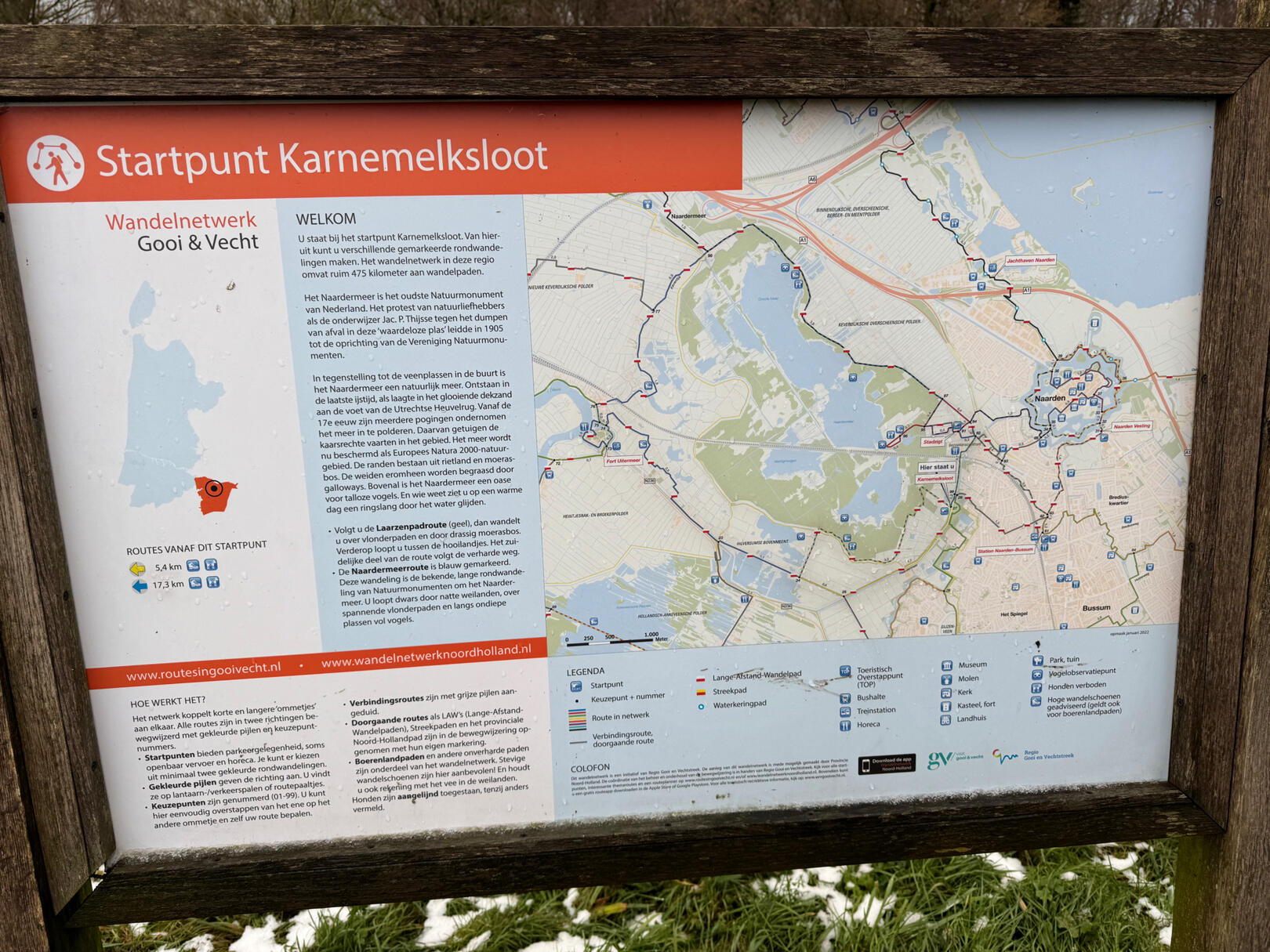
Use the map at the trailhead, not just the generic one on your phone. See exactly where you are on the terrain you actually planned your route on.
SnapVigator straightens your photo and maps it perfectly to real coordinates.
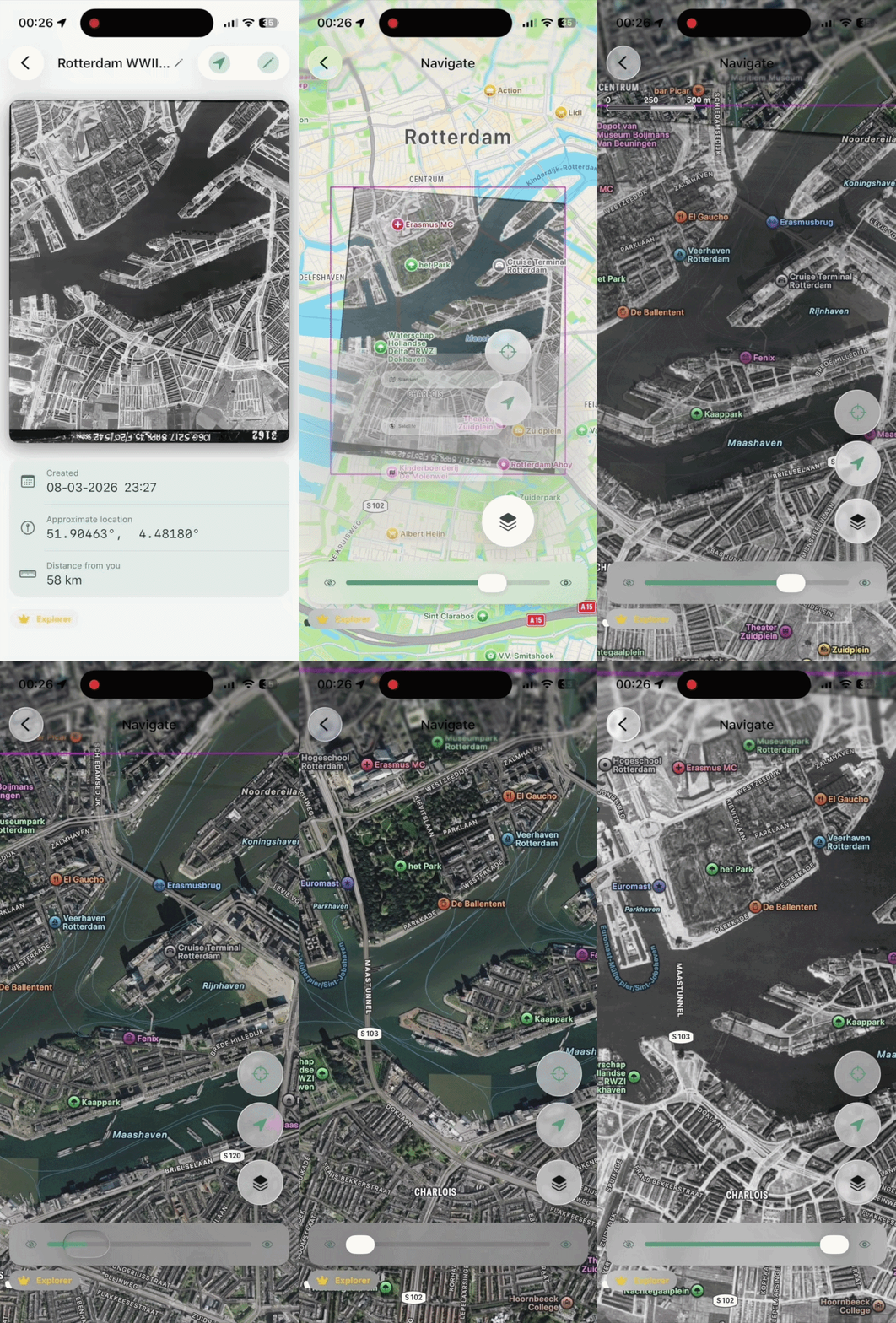
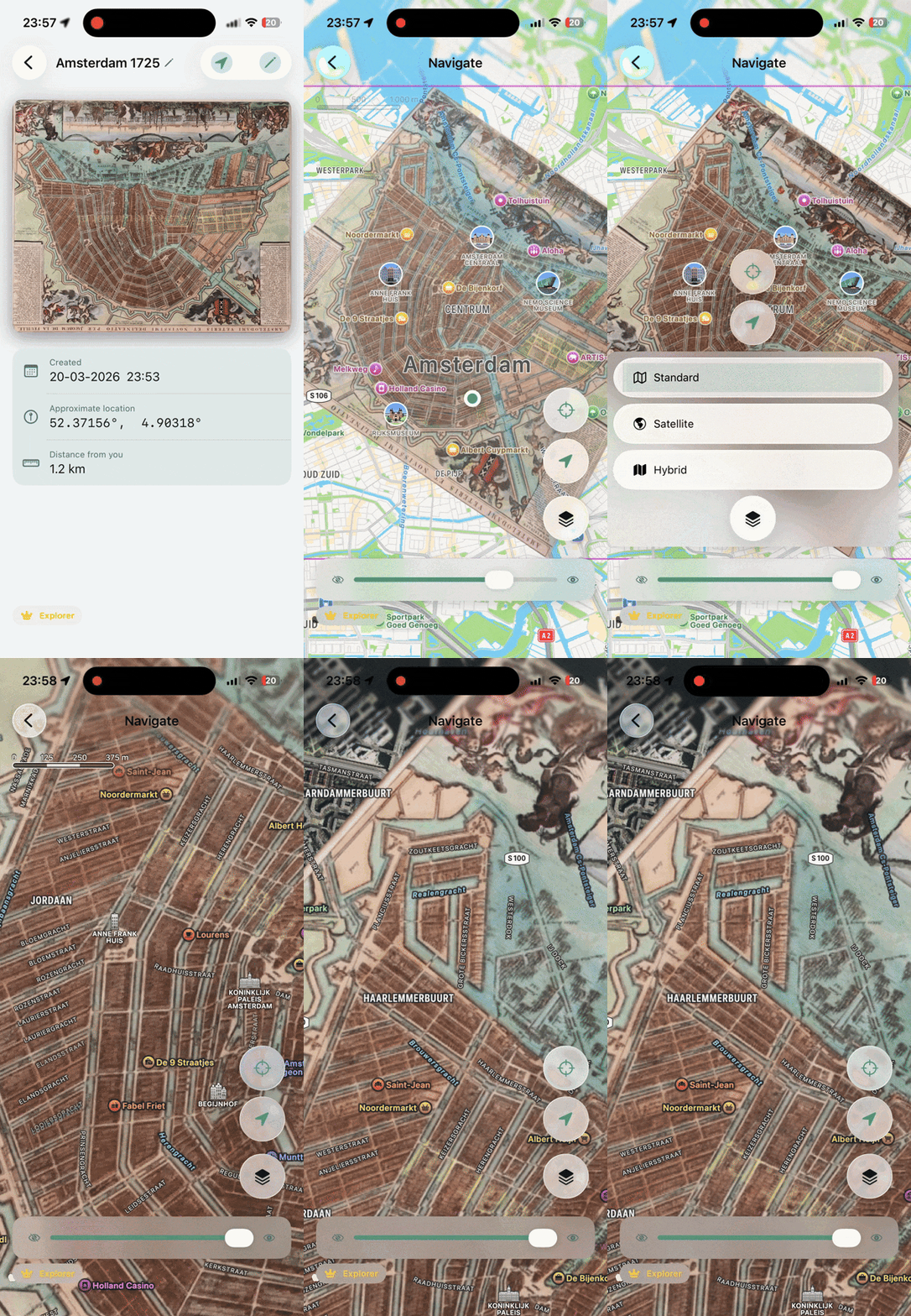
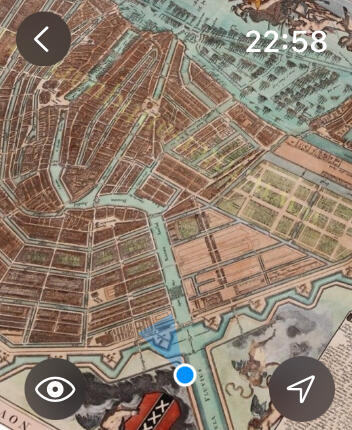
Historians, researchers and treasure hunters (professional or otherwise)
Georeference historical maps and aerial images to navigate the landscape as it once was. The past has never been this easy to explore.
Some other options
Cyclists and bikepackers
Navigate with the regional cycling maps you know and trust. Your route, your way, with live GPS.
Urban explorers and city trippers
That illustrated neighbourhood map in your travel guide? Now it shows exactly where you are standing.
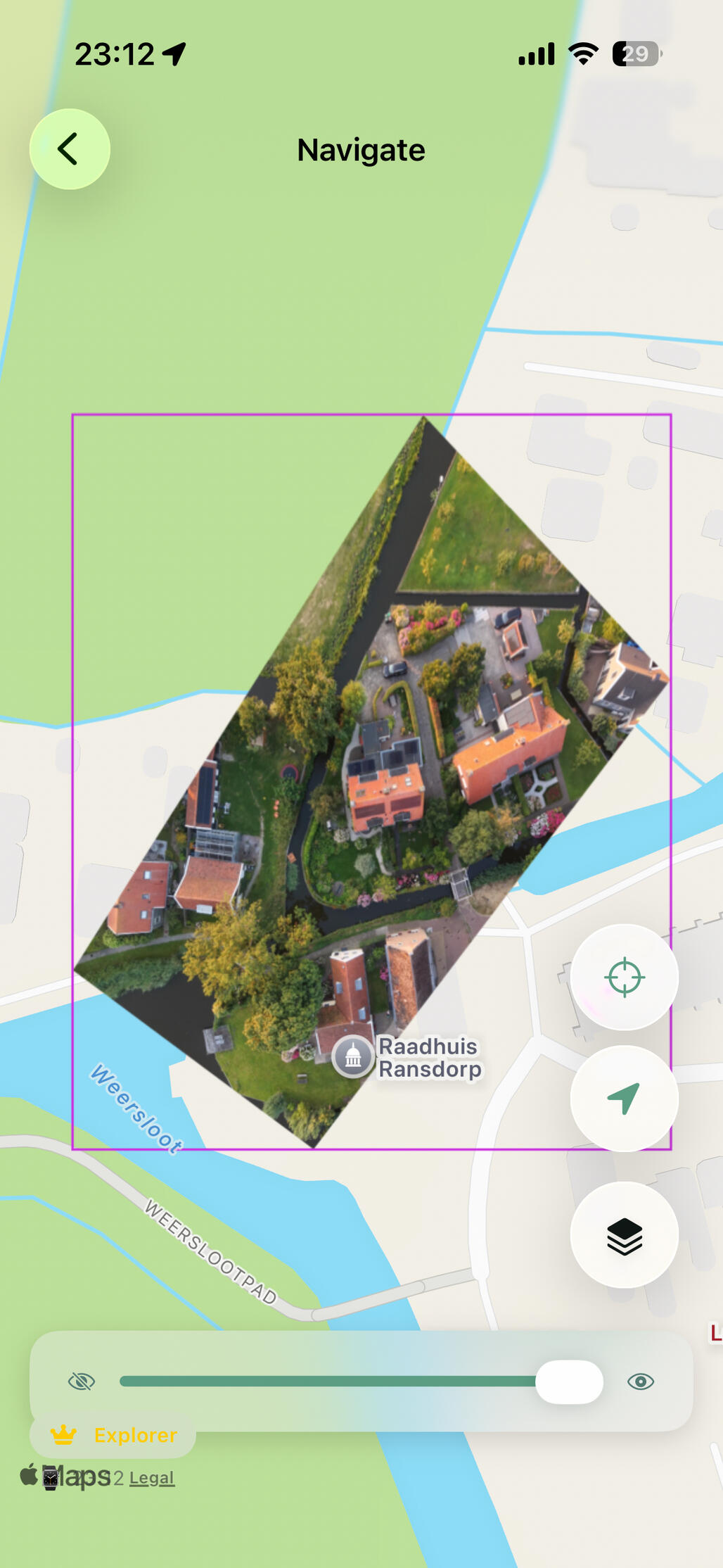
GIS enthusiasts and
Drone pilots
Georeference your own aerial imagery and navigate on photos no mapping app has ever seen.
Be the first to try!
SnapVigator is heading to the App Store soon. Join the waitlist to get early access and help shape the app before it launches.
SnapVigator is heading to the App Store soon. Join the waitlist to get early access and help shape the app before it launches.
More Features
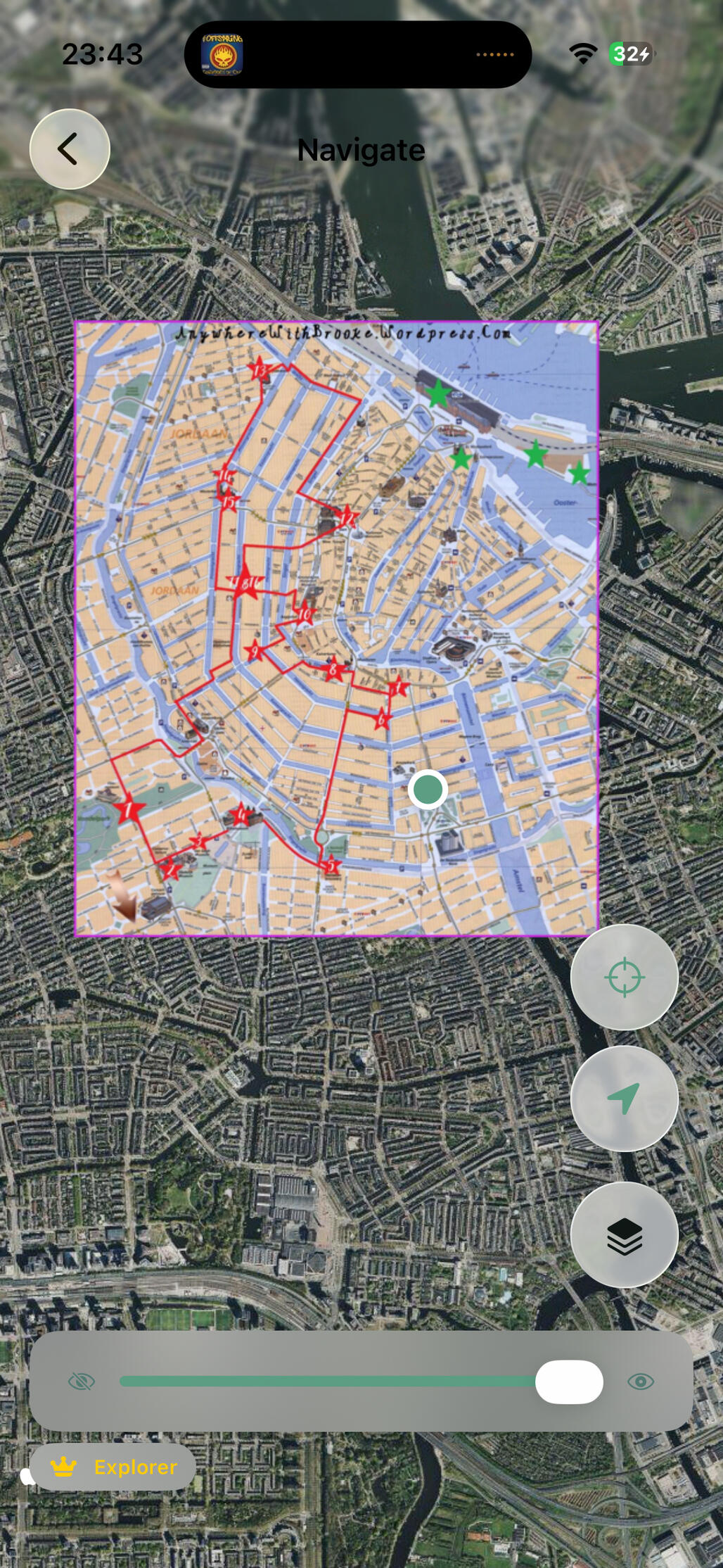
Choose your
background layer
Choose either a GPS map (Apple Maps) or satellite imagery.
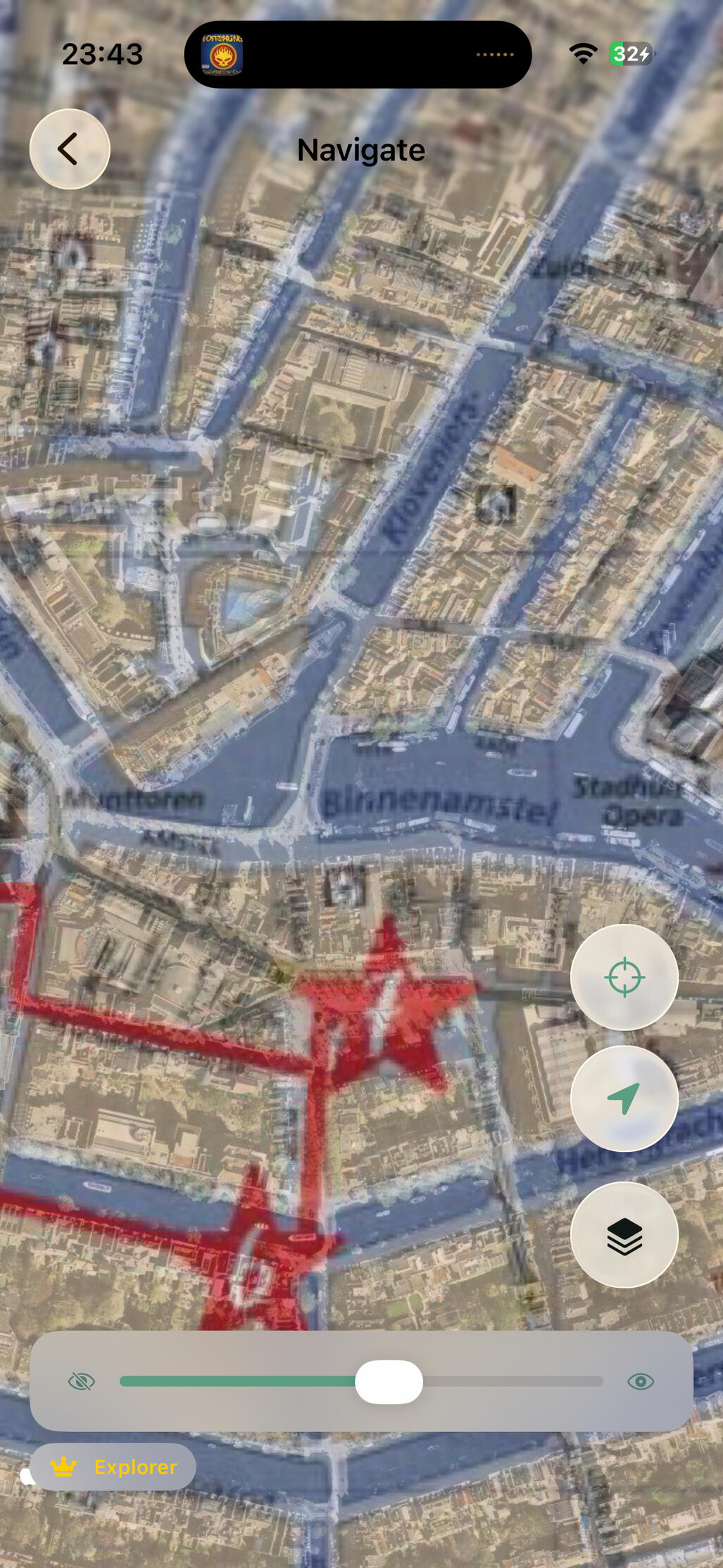
Experiment with opacity
You can smoothly change the opacity of your photo overlay.
Check how closely your photo matches the map or see how it relates to satellite images!
But wait, there's more!
Everything you see above is free to use. A one-time purchase unlocks the full experience as described below — pay once, use forever!
Get the explorer tier for these extras
Navigate to the start of your route
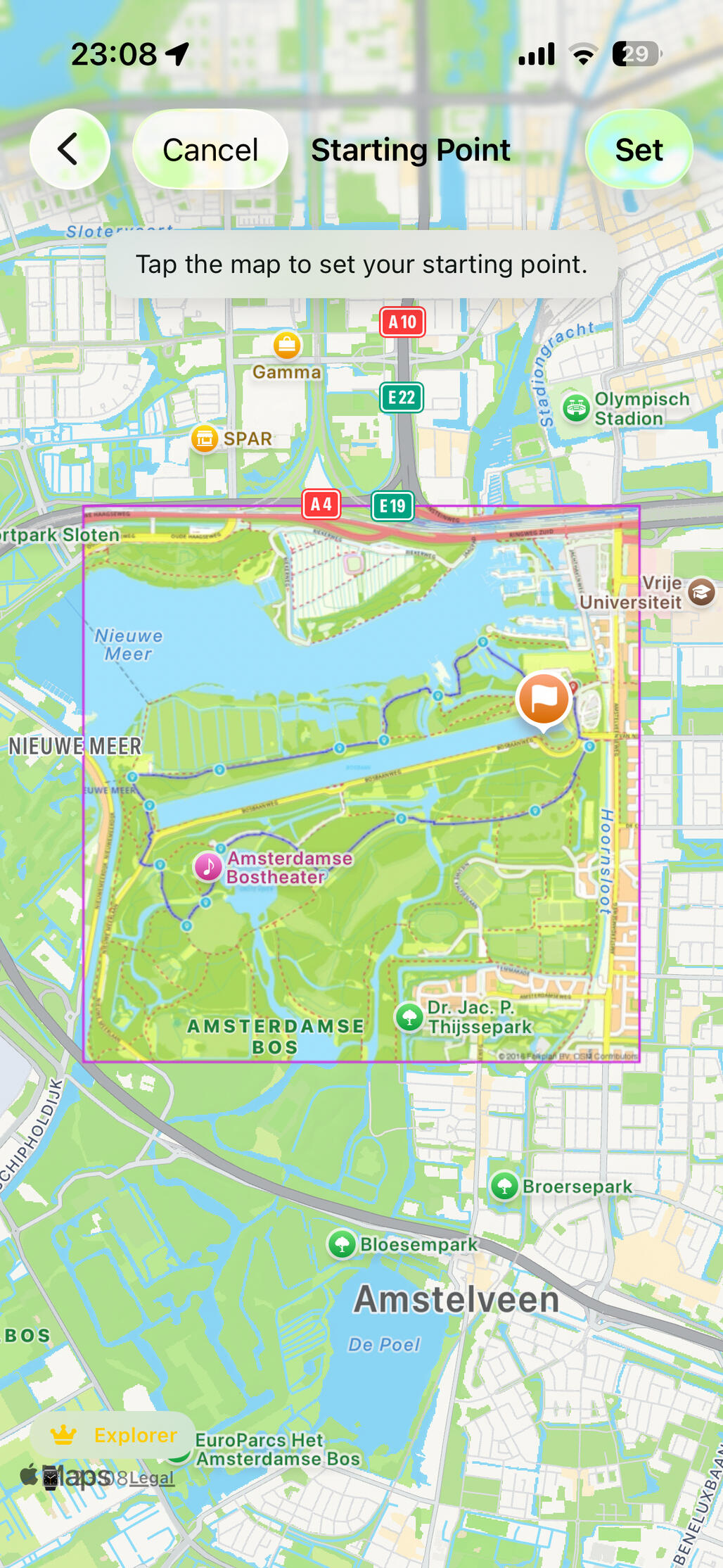
Set your custom
route start
Choose where your route starts and easily find where to go. Snapvigator will even sort your maps by distance to this startpoint instead of the centerpoint!
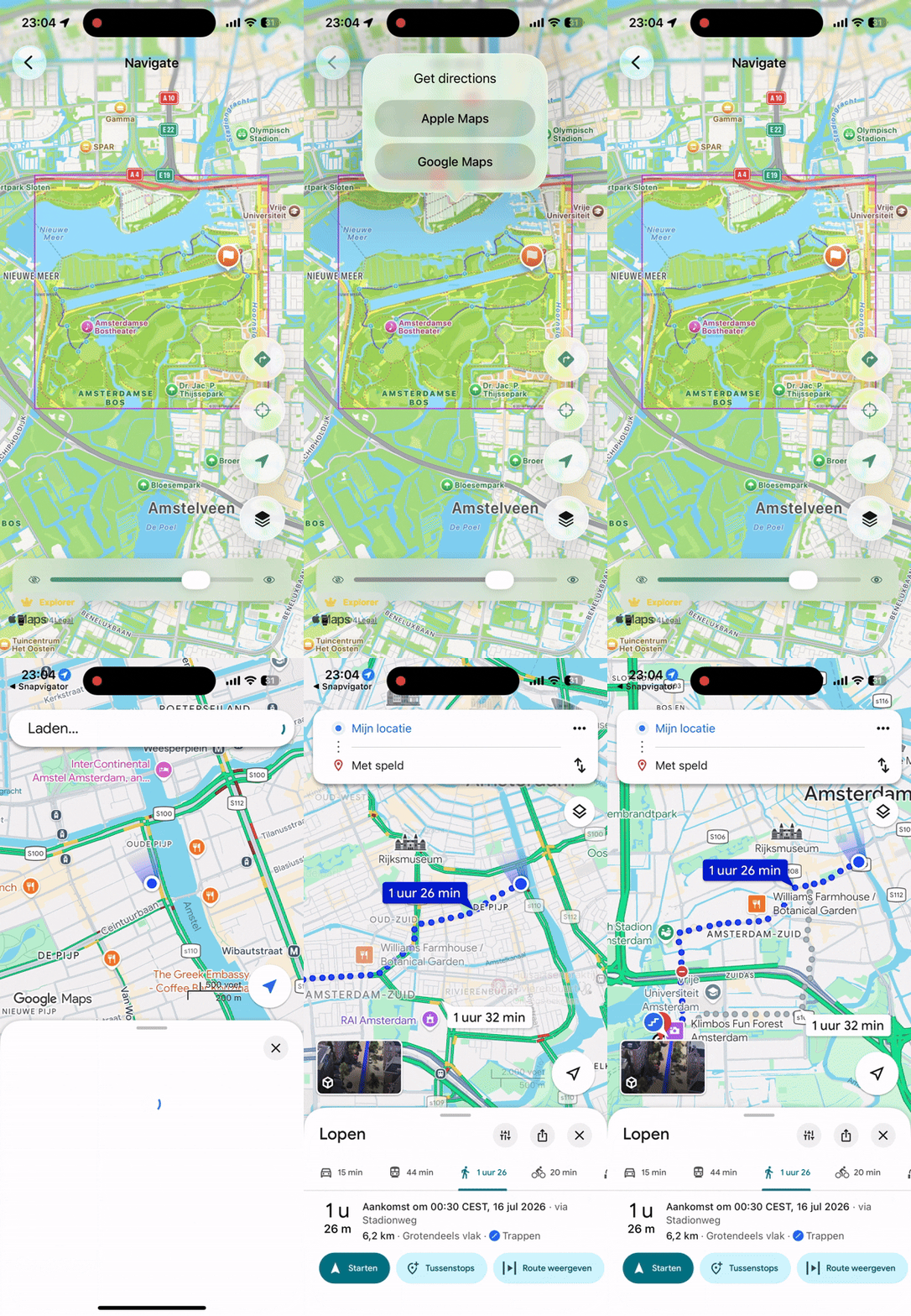
Choose, your way
Use your start point and hand off to Apple Maps or Google Maps to seamlessly navigate to start your adventure.
Find your route at a
glance
Glance at your position and heading without reaching for your phone. The Apple Watch companion app keeps the essentials on your wrist, right where you need them. Even if you leave your phone at home!
Much more to come!
Activity Recording. Record your route as you navigate and save it when you're done. Revisit where you went, how far you travelled, and how long it took. All overlaid on the map you actually used.
Combine Multiple Photos. One photo not enough to cover your route? Stitch multiple images together into a single seamless map and navigate across all of them without switching views.
Improved Photo Warp. The more accurate the map, the better the navigation. Enhanced warping algorithms fit your photo to the terrain with greater precision, even from creased maps or imperfect source images.
Share your maps. Built a great georeferenced map? Share it with friends, fellow hikers, or your cycling group so they can navigate on it too. No setup required on their end.
Do you have an idea? Let me know! I might add it :)
SnapVigator — Navigate the world on your terms.
[email protected]
© 2026 Thomas Warnaar